
The painter
Click any piece card and this is where you land. It looks busy, but it's only six areas.
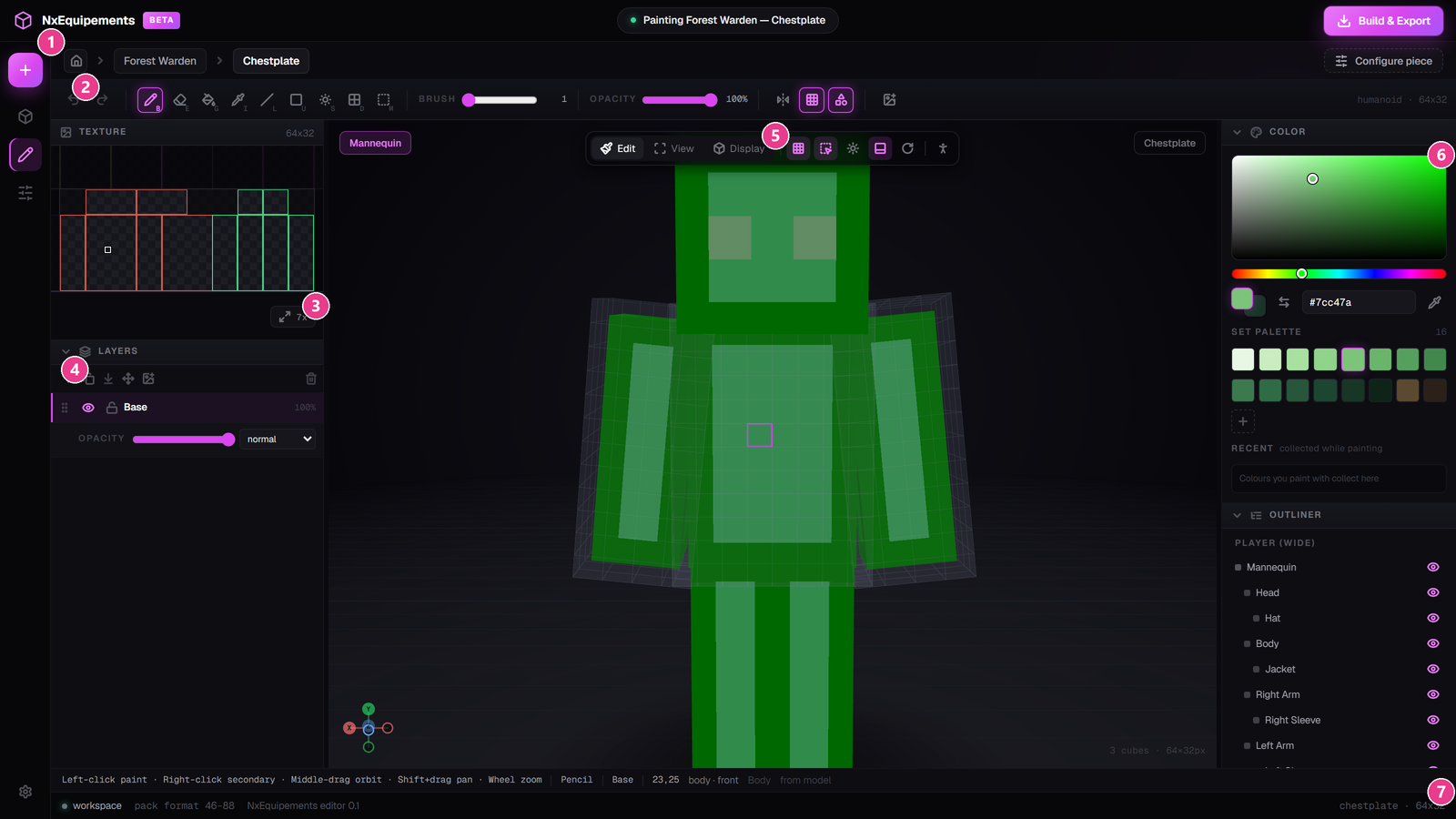
- The left rail — jump between sets, the painter and the piece settings.
- The toolbar — your drawing tools. See Paint tools.
- TEXTURE — the flat texture sheet.
- LAYERS — stack your work. See Layers.
- The 3D viewport — the model. Paint straight onto it.
- COLOR — pick colours and keep the ones you like. See Colours.
The flat sheet
The TEXTURE panel is the same artwork as the model, laid out flat — the way Minecraft actually stores it. Painting on the sheet and painting on the model do exactly the same thing, so use whichever is easier.
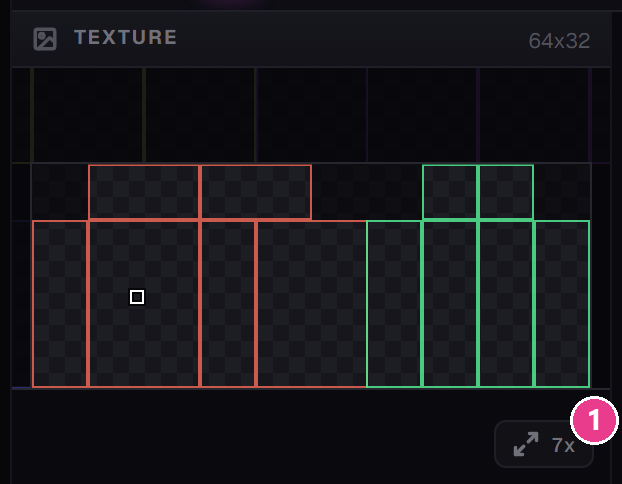
- Zoom readout. Shows the current zoom, e.g.
7x. Click it to fit the whole sheet in the panel.
The model is easier for shapes and shading. The flat sheet is easier for straight edges and awkward faces like the underside of a boot.
Resize the panels
Drag the dividing lines between panels to make any of them bigger. Click the COLOR, LAYERS or OUTLINER heading to fold that panel away.
The viewport bar
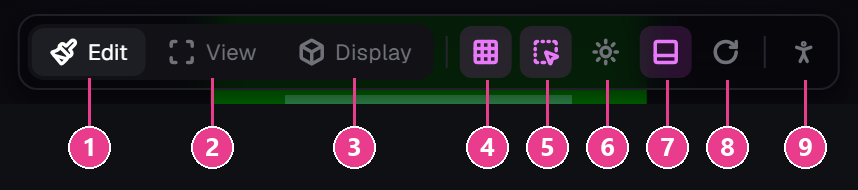
- Edit — painting. Left-click paints. Where you'll spend your time.
- View — looking. Left-drag spins the model; you can't paint by accident.
- Display — the inventory icon. See The inventory icon.
- Pixel grid on the model — draws pixel boundaries onto the 3D model. Very useful while painting.
- Brush cursor — shows a square outline where your brush will land.
- Shaded / Flat — flat shows your true colours with no lighting; shaded looks more like the game.
- Ground grid and drop shadow — the floor under the model.
- Auto-rotate — spins the model slowly on its own.
- Mannequin parts — hide body parts and load your own skin. See The mannequin.
The status bar under the canvas

From left to right: your mouse controls, the current tool, the layer you're on, the pixel coordinates, and which body part and face you're hovering (like body · front).
Two messages worth knowing:
- “Layer locked or hidden — strokes are ignored” — you're painting on a layer that can't take paint. Unlock it or pick another.
- “outside the paintable area” — that part of the sheet doesn't belong to this piece.
The OUTLINER
Bottom right: a list of every part of the model — Head, Hat, Body, Jacket, Right Arm — each with an eye icon. Click an eye to hide that part and reach something behind it.