
3D model pieces
Everything up to here has been painting — Minecraft owns the shape, you repaint it. A 3D model piece is the other kind. You build the shape yourself out of boxes, and the editor paints the texture sheet for you as you go.
Adding one
Open a set and click Add piece. Under the eight worn slots there is a second group.
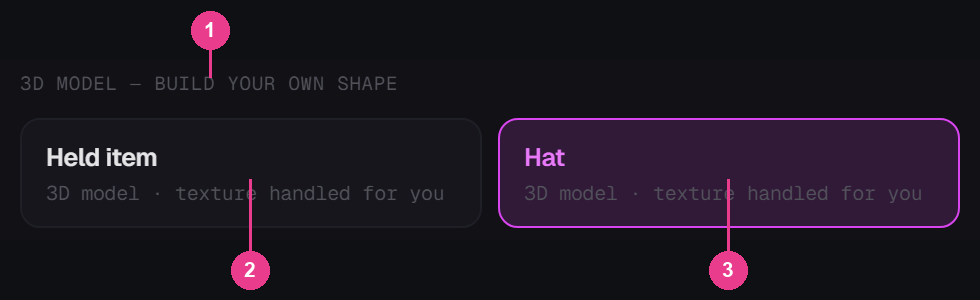
- 3D MODEL — BUILD YOUR OWN SHAPE. Everything under this heading is a shape you make, not a shape you repaint.
- Held item. An item that sits in the hand, on the ground and in a frame. Nothing is worn.
- Hat. Worn on the head, with its own shape sitting over the player's head.
Both cards read 3D model · texture handled for you. That is the promise: you never lay out a texture sheet by hand.
Type a name, click Add piece, and the piece appears in the set like any other.
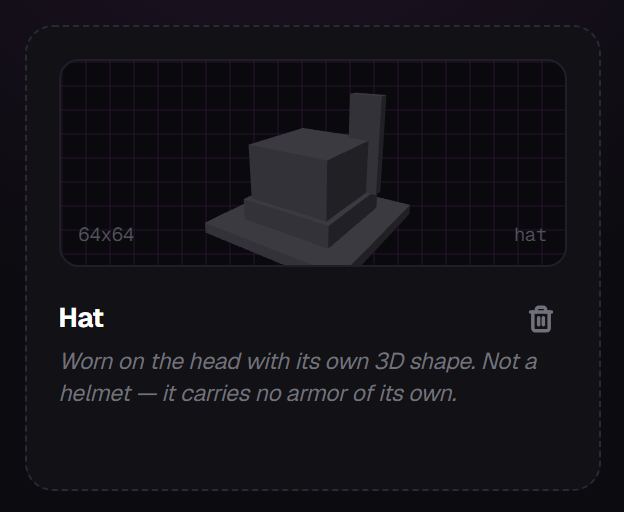
What you start with
A new 3D model piece opens with one box, eight units on every side, sitting in the middle of the floor. That single box is your whole model until you add more.
How it differs from a painted piece
| Painted piece | 3D model piece | |
|---|---|---|
| Shape | Fixed by Minecraft | You build it out of boxes |
| Texture sheet | Fixed size, fixed layout | Laid out and resized for you |
| Where you work | Edit mode | Model mode, then Edit to paint it |
| Extra panels | TEXTURE and LAYERS | HIERARCHY and INSPECTOR |
Everything else — the top bar, the left rail, the breadcrumb, Configure piece, Build & Export — is exactly the same.