
Painting a model you built
Building the shape is only half of it. When you are happy with the boxes, click Edit on the mode bar and you are back in the painter you already know — pencil, fill, layers, colours, all of it.
The sheet is laid out for you
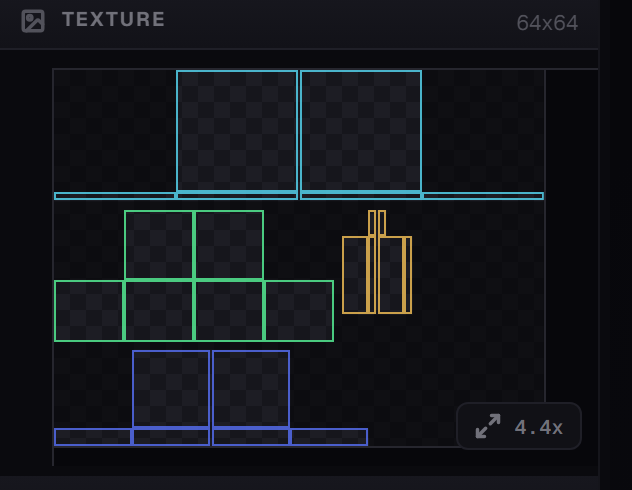
Every box you added got a patch of the sheet reserved for it, with a coloured outline around it. Add a box and the layout is redone; add enough boxes and the sheet grows — a fresh hat starts at 32×32 and steps up to 64×64 on its own. The size in the corner and in the INSPECTOR always tells you where you are.
Finding a box on the sheet
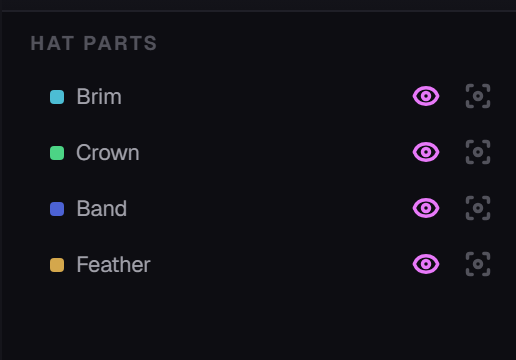
Each box you named turns up here with the colour of its outline on the sheet. The two buttons on each row are the same pair you get everywhere: an eye to hide the box, and isolate to show only that one. Hide the outer shell, paint the thing underneath, bring it back.
Which one should I paint on?
Same answer as for painted pieces. The model is easier for shapes and shading; the flat sheet is easier for straight edges and awkward faces. They are the same artwork, so use whichever is less annoying at the time. See The painter.
Then what?
- Display — set how the item sits in the inventory, in a hand, on the ground and in a frame. See The inventory icon.
- Configure piece — the same four tabs as every other piece: Stats, Item & Tooltip, Equipment, Recipe.
- Build & Export — exactly as before. Nothing about a 3D model piece changes how you get it onto the server. See Build and deploy.
If something looks wrong in game
- A face is invisible. Two boxes are sharing exactly the same surface. Give one of them a little Puff, or move it a quarter unit.
- A box is missing from the model. Check you didn't leave it hidden — hiding is for your eyes only, so this is rare, but check the tree for the hidden ones anyway.
- The hat gives no armour. That is correct. A hat is a shape, not a helmet. See 3D model pieces.
- Something is clipped off. It ran past the 48-unit build volume. Turn the walls on and look.
Anything else, try Problems and fixes.