
Stats tab
Painting is done — now make it behave like real gear. Click Configure piece in the breadcrumb bar, or the sliders icon in the left rail.
The four tabs
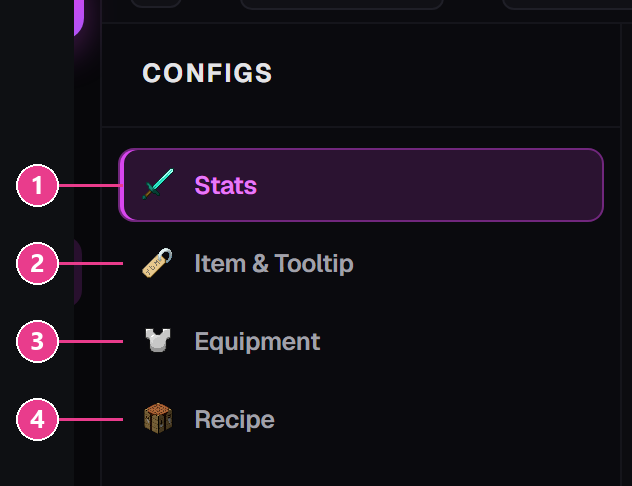
- Stats — durability, armour, rarity, effects. This page.
- Item & Tooltip — the name and lore. See here.
- Equipment — sounds, repairs, behaviour. See here.
- Recipe — how it's crafted. See here.
Turn on advanced settings first
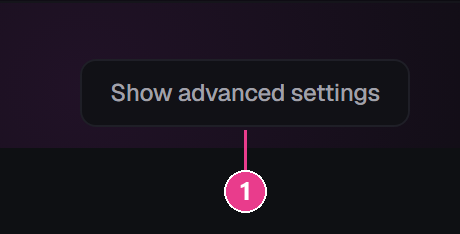
- Show advanced settings — unlocks over half of this screen.
Properties

- Max Durability — how many hits before it breaks. Iron chestplate is 240, diamond 528. Leave empty for the vanilla value.
- Rarity — the colour of the item's name:
Common (White),Uncommon (Yellow),Rare (Aqua),Epic (Light Purple). - Max Stack Size — how many fit in one slot. Armour should be 1.
- Base Material (Vanilla Item) — which real Minecraft item this is built on.
Armour stats
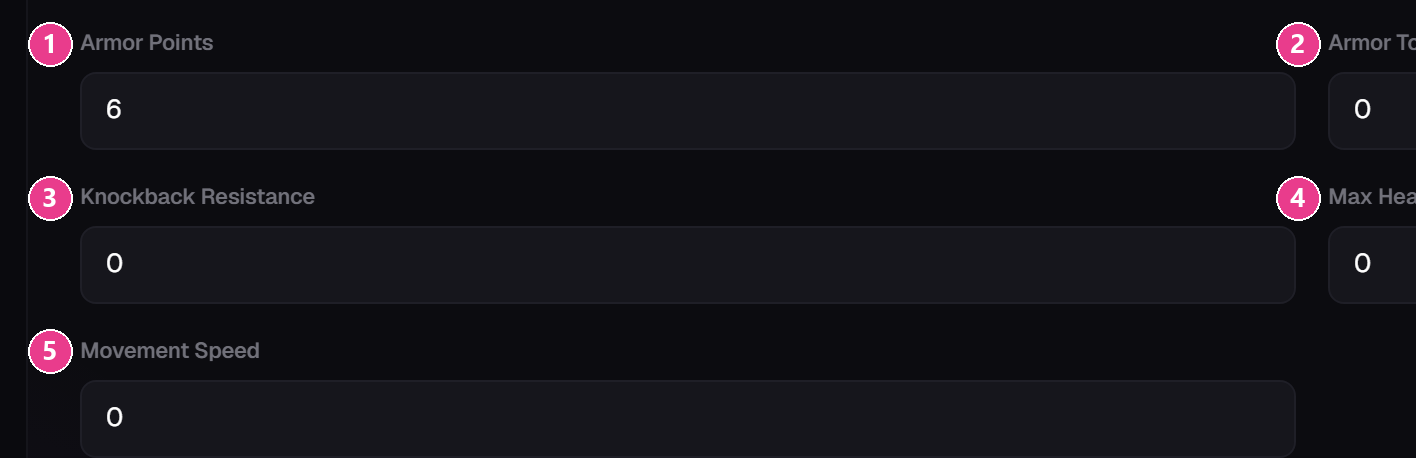
- Armor Points — the armour bar. A full iron set is 15 across four pieces. Range 0–30.
- Armor Toughness — cuts damage from big hits. Diamond has it, iron doesn't. Range 0–20.
- Knockback Resistance — how hard you are to push. 1 means immovable. Range 0–1.
- Max Health — extra hearts. 2 = one heart. Range 0–1024.
- Movement Speed — speed change. Small numbers:
0.02is noticeable. Negative slows you down.
The switches
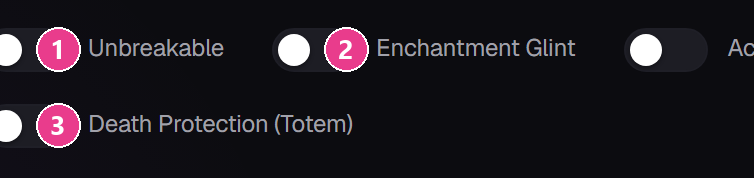
- Unbreakable — never takes damage. Durability stops mattering.
- Enchantment Glint — the purple shimmer, without any enchantment.
- Death Protection (Totem) — saves the player once, like a totem, then is used up.
Chestplates and elytra get a fourth: Acts as Elytra (Glider), which lets the player glide.
Advanced: Default Enchantments

Each row is an enchantment plus a level from 1 to 255. The item arrives already enchanted. The red × at the end of a row removes it.
Advanced: Attributes

For anything not covered by the five stat boxes — attack damage, luck, mining speed. Each row has:
- the attribute to change
- the operation —
add valueadds a flat amount;add multiplied baseandadd multiplied totalwork as percentages - the amount
- Show — whether it appears in the tooltip
You don't pick a slot. It applies automatically when the piece is worn in its own slot.
Advanced: Status Effects

Potion effects that run the whole time the gear is worn. Choose the effect and a level, and optionally turn off Particles and Icon so it isn't distracting.
There's no duration to set — the effect lasts as long as the gear is on and stops when it comes off.
Instant effects like Instant Health can't be used this way.
Advanced: the rest
- Tooltip visibility — five switches that hide individual stat lines without removing the stat.
- Damage Resistance — press Add Immunity and pick a damage type to be immune to while wearing it.