
☁️ The Future of Menu Building
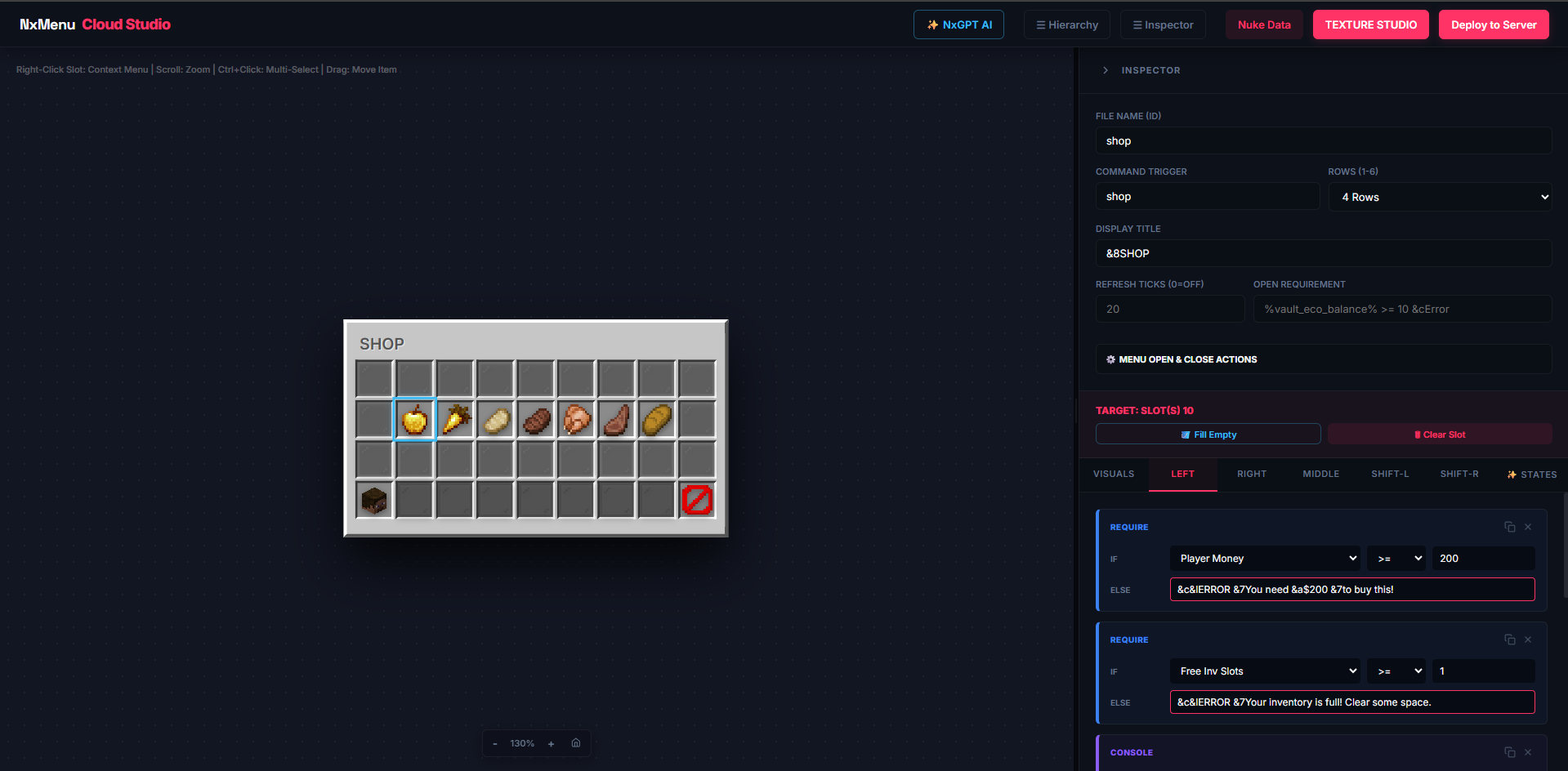
Building serious server menus — shops, profiles, kit selectors, leaderboards — normally means writing thousands of lines of YAML, fighting with Custom Model Data IDs, and reloading the server every time you tweak a pixel.
NxMenu replaces all of that with two cloud-based tools that talk to each other:
- The Menu Builder (🧠 Logic) — A visual editor where you drag items into slots, build click-action chains, set conditions, and create variables. This is where you decide what your menu does.
- The Texture Studio (🎨 Visuals) — A pixel-art IDE where you paint custom GUI backgrounds and clickable icons. Output: an auto-generated resource pack. This is where you decide what your menu looks like.
Both tools sync to your server with one in-game command. No restarts, no manual file edits, no YAML.
The Mental Model
💡 Read this before anything else: NxMenu is split into two studios on purpose. The Menu Builder only handles logic — click actions, conditions, materials. The Texture Studio only handles pixels — GUI backgrounds, custom icons. They communicate through two bridges:
1. Custom GUI Titles — Texture Studio paints a background, gives you a magic title string, you paste it into a Menu's Display Title.
2. Custom Icons via PAPER:CMD — Texture Studio paints a 18×18 icon and assigns it a Custom Model Data number. You use
1. Custom GUI Titles — Texture Studio paints a background, gives you a magic title string, you paste it into a Menu's Display Title.
2. Custom Icons via PAPER:CMD — Texture Studio paints a 18×18 icon and assigns it a Custom Model Data number. You use
PAPER:10001 as the material in the Menu Builder.