
🧠 Action Blocks: Logic & Variables
This is where NxMenu becomes a true engine. You can build advanced conditional systems, quests, daily rewards, and limits without needing any external scripting plugins.
Conditional Flow
- If Condition (Require): A gatekeeper. Choose a placeholder, an operator (
==,!=,>=,<=,>,<), and a value. If the condition fails, the chain stops and the player gets the deny message.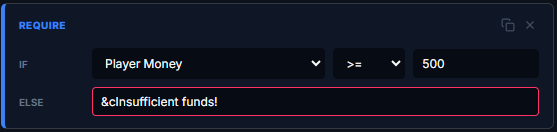
Placeholder dropdown includes common ones like%vault_eco_balance%,%player_level%, plus a Custom… option for any PlaceholderAPI placeholder, and ⎈ Meta Variable… for your custom NxMenu variables.
- Cooldown Limit: Prevents spamming. Assign a unique ID (e.g.,
daily_reward) and a time in seconds. The player cannot trigger this action again until the time expires. Use%time%in the Deny Message to display the remaining time formatted as1d 3h 22m 14s.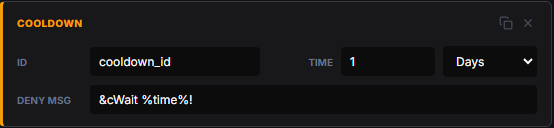
- Chat Input: Pauses the chain, closes the menu, and prompts the player to type in chat. Their response is captured into the
%input%placeholder, usable in any subsequent action. Players can typecancelto abort safely.
Example:[input] &eEnter the player to message:[console] mail send %input% &7You got a gift!
- Delay (Wait): Pauses the action chain for a set number of server ticks (20 ticks = 1 second). Useful for staggering effects.

The Meta System (Custom Variables)
Meta variables are your own custom data points, persistently tied to a player while they're online. Use them to track quests, purchase counts, daily limits, or any custom state.
- Set Variable (Meta): Forces a specific variable to an exact number or string.
Example: Sethas_claimed_kitto1.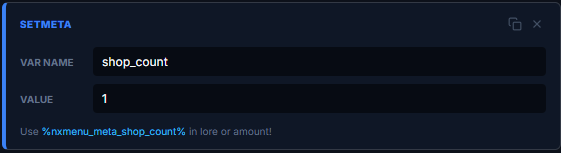
- Add to Variable: Increments a numeric variable.
Example: Add1toshop_purchaseson every buy.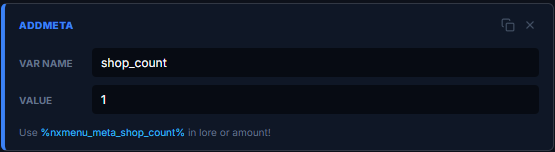
- Subtract from Var: Decrements a numeric variable.
Example: Subtract1fromremaining_lives.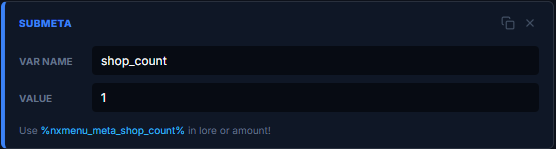
💡 Reading Your Variables:
Once a variable exists, reference it anywhere with
• In item lore:
• In amount field:
• In If Conditions: Check
• In state conditions: To swap item visuals based on progress
Limits: Max 50 keys per player, max 32 chars per key name. Variables clear when the player disconnects (in-memory only).
Once a variable exists, reference it anywhere with
%nxmenu_meta_<keyname>%:• In item lore:
&7Purchases: &e%nxmenu_meta_shop_purchases%• In amount field:
%nxmenu_meta_quest_progress% (live updating count)• In If Conditions: Check
%nxmenu_meta_purchases% <= 5 for purchase limits• In state conditions: To swap item visuals based on progress
Limits: Max 50 keys per player, max 32 chars per key name. Variables clear when the player disconnects (in-memory only).