
The eight slots
When you add a piece you pick a slot. The slot decides where it's worn, what shape it is, and how big your drawing area is.
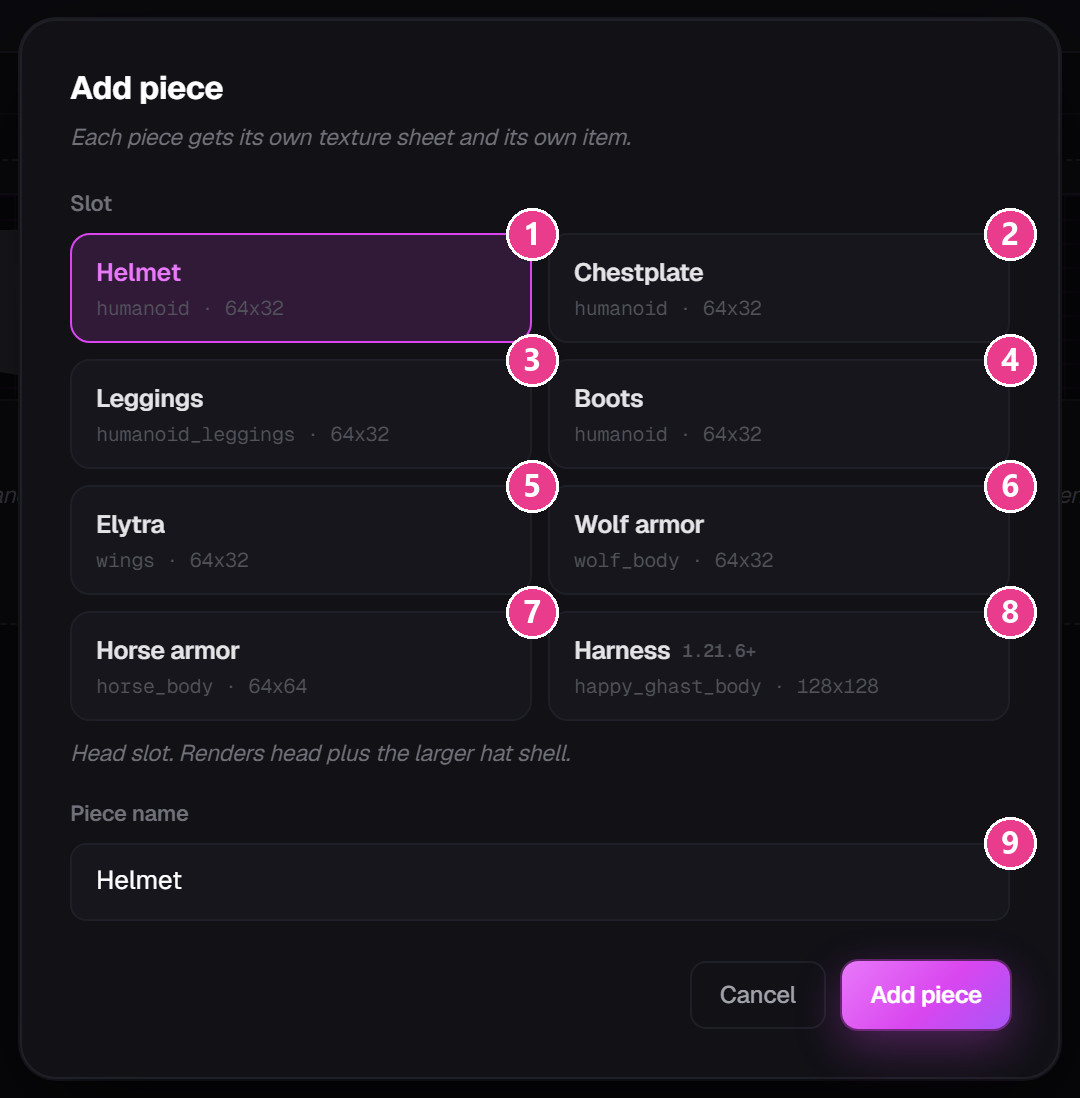
| # | Slot | Worn by | What you're painting | Canvas |
|---|---|---|---|---|
| 1 | Helmet | Players | The head, plus the slightly larger “hat” shell over it | 64×32 |
| 2 | Chestplate | Players | The torso and both arms, full length | 64×32 |
| 3 | Leggings | Players | The whole leg, from feet to neck | 64×32 |
| 4 | Boots | Players | The entire leg — not just the foot | 64×32 |
| 5 | Elytra | Players | The back face of the wings | 64×32 |
| 6 | Wolf armor | Wolves | The wolf's body | 64×32 |
| 7 | Horse armor | Horses | The horse's body | 64×64 |
| 8 | Harness | Happy ghasts | The harness. Goggles flip down when ridden. | 128×128 |
The most important thing to understand: in these eight slots you are painting, not modelling. Minecraft fixes the shape of every armour piece — you cannot add horns, spikes or capes to a helmet. What you can do is repaint every surface of that shape, which is enough to make gear look completely different. If you do want your own shape, that is a different kind of piece — see 3D model pieces.
Things that will surprise you
- Boots paint the whole leg. Only the bottom shows in game, but the canvas gives you the full leg. Paint the foot area.
- Chestplate includes the arms. Don't forget the sleeves — they're a separate part of the canvas from the torso.
- Helmet has two layers. The head itself and a slightly bigger shell around it. Use the outer shell for bulk and trim.
- Wolf and horse armour get vanilla damage cracks drawn on top by the game. You can't turn that off.
- Foals never show horse armour. That's vanilla behaviour.
- Harness needs Minecraft 1.21.6 or newer. Its card carries a
1.21.6+badge.
Which vanilla item is it based on?
Every piece is built on a real Minecraft item — an iron chestplate, a diamond horse armour, and so on. You pick which on the Stats tab under Base Material (Vanilla Item). See Stats tab.