
🚀 Installation
NxRanks is designed for Paper/Spigot servers and requires a valid license key to access the web workspace.
⚡ Step-by-Step Setup
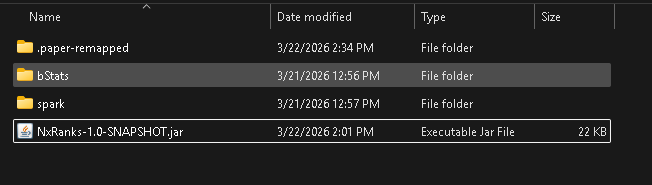
- 1. Install the Plugin
PlaceNxRanks.jarinto your/pluginsfolder.
- 2. Claim Your License
Start your server once to generate the configuration files.
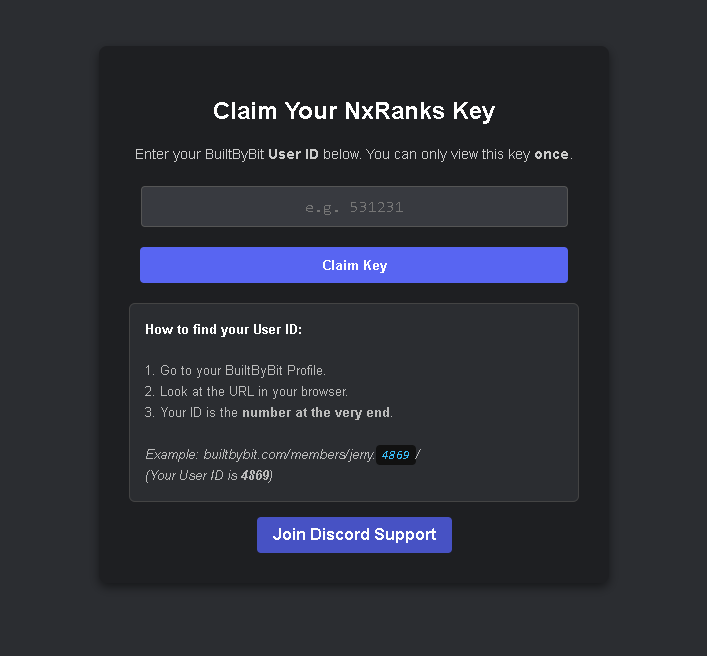
Then go to:
https://nexo.infinitee.work/NxRanks/claim.php
Enter your BuiltByBit user ID to claim your license key.
- 3. Add Your License Key
Openconfig.ymland paste your license key:
license-key: "YOUR_KEY_HERE"- 4. Restart the Server
Restart your server to verify the license and enable the NxRanks API. - 5. Open the Editor
Use/nxranks editorin-game to open your web workspace.
✅ Success Check
- The
/nxranks editorcommand generates a clickable link - No license errors appear in console
⚠️ Common Issues
- License not working?
Make sure you entered it correctly inconfig.yml - Editor link not generating?
Ensure your server has an internet connection
💡 Tip
Your license key is only shown once when claimed. Make sure to store it safely.